

When a new residential development spans dozens of lots with different prices, statuses, and legal identifiers, coordinating between buyers, contractors, and investors can get messy fast. A spreadsheet doesn't help someone visualize which lots back up to a park, and a static PDF can't tell you which ones just went under contract.
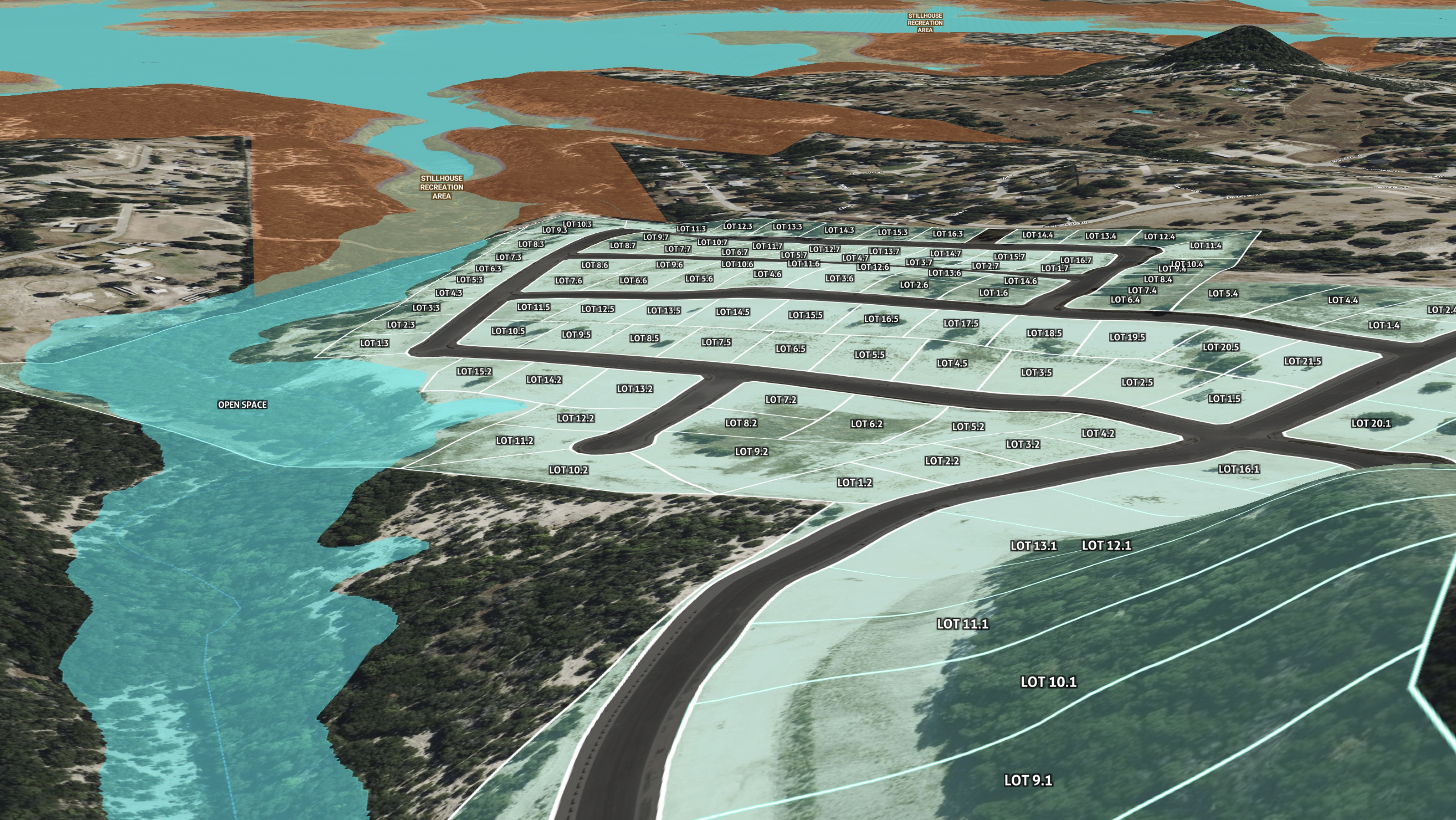
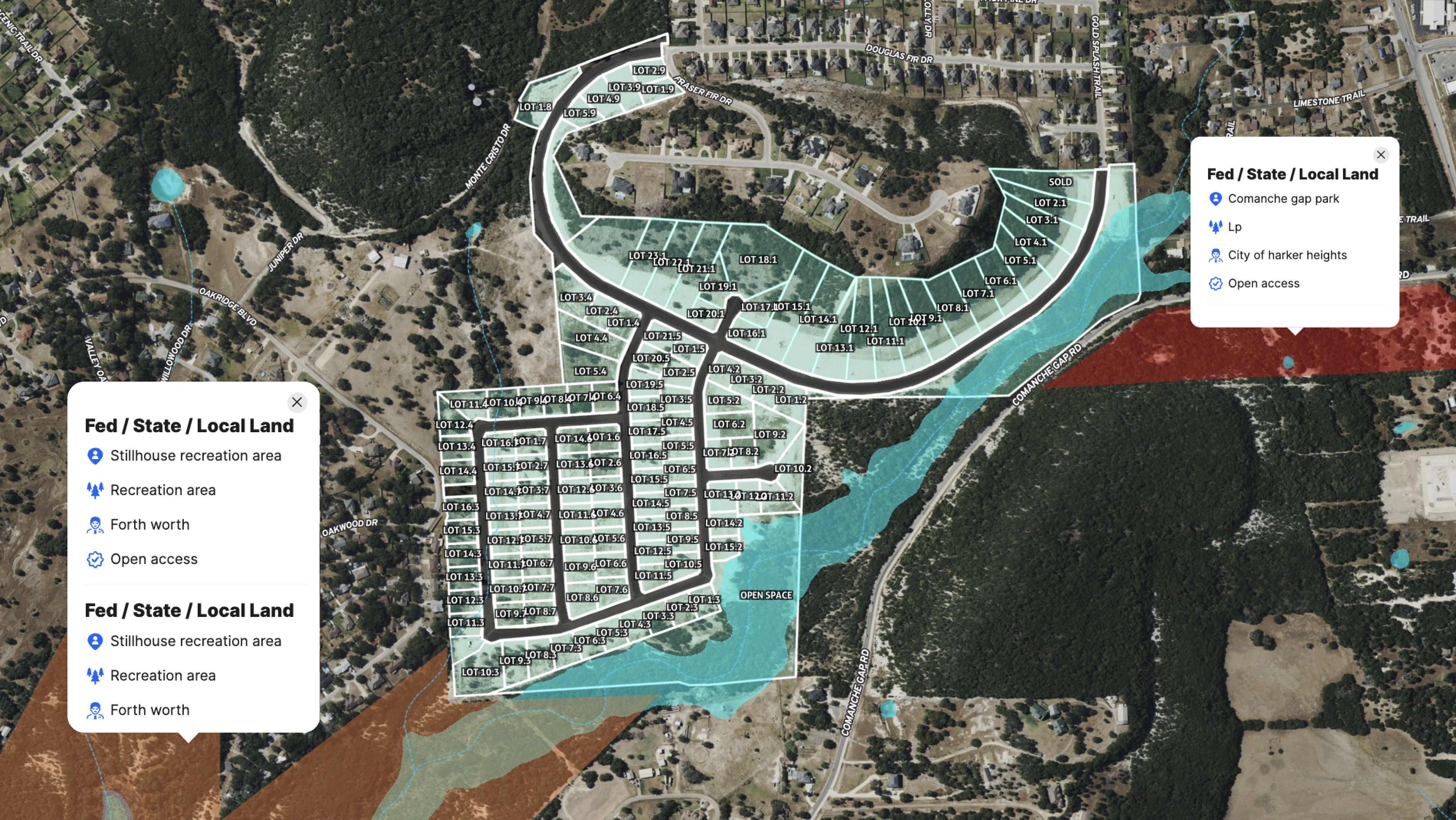
Josh Jacobson, a realtor with First Texas Brokerage, turned to Land id's Mapping Services to build a custom interactive map for Valley Ridge Estates, a new subdivision in Bell County, Texas, that borders Stillhouse Recreation Area and sits near two other parks. The development's proximity to outdoor recreation is a major selling point, and the map makes it visible at a glance.
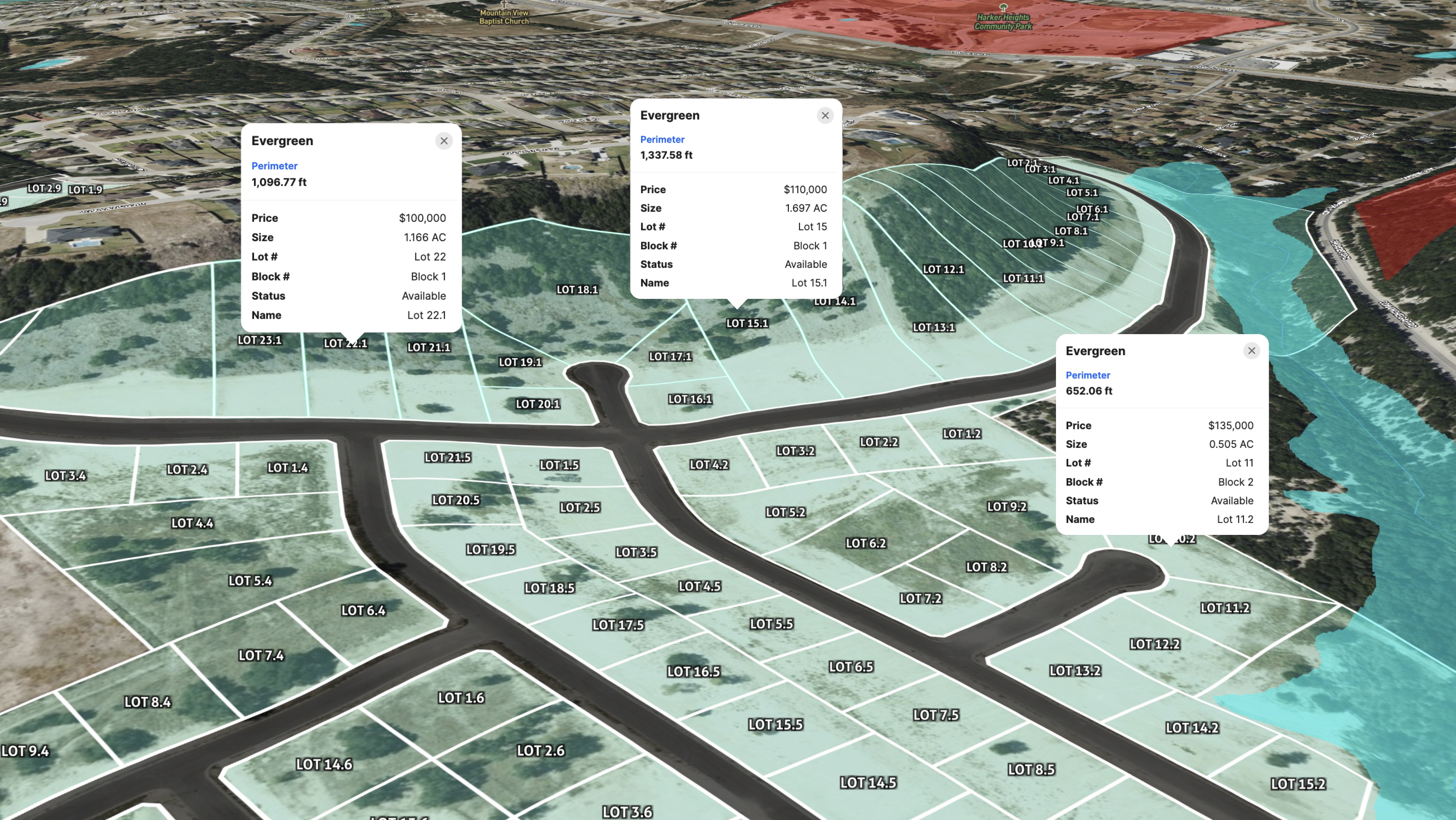
The map was built using Land id's Georeference Tool to import the official survey and site plan, then layered with detailed lot data, including price, size, lot number, block number, status, and owner name. The Federal/State Lands Overlay shows the adjacent recreation area clearly, reinforcing the location's appeal to outdoor-minded buyers. Custom attributes and labels make it easy to update any lot's status the moment a sale closes.
The result is a single source of truth for everyone involved in the project. Buyers can see what's available and where, contractors can orient their work to the development layout, and investors get the full picture without wading through documents.
When land sells, one update to the map keeps every stakeholder current. That's the value of building your project on Land id from day one.
Learn How to Create a Project Like This
- Land id for property development
- Quick start: Create and share a map in Land id
- Draw detailed maps by adding items
- Import surveys and site plans with the Georeference Tool
- Federal and state lands overlay
- Manage and visualize data with attributes
- Add labels to maps and mapped items
Take Your Mapping to the Next Level
Mapping is just the beginning. Land id is the #1 tool for researching, discovering, and showcasing land, and we're here to help you make the most of it, every step of the way.