


Most property listings show the home’s interior beautifully, but treat the outside like an afterthought.
Buyers get polished photos and an indoor virtual tour that makes it easy to imagine what the house feels like. But they don’t get the same visual story for the outdoors.
That gap costs agents attention and listings.
The agents standing out now are giving buyers the complete picture, indoors and out, before the first showing. Here’s how you can do it, too—and close more business in the process.
Why Most Listings Still Feel Incomplete
The problem usually shows up after the listing goes live.
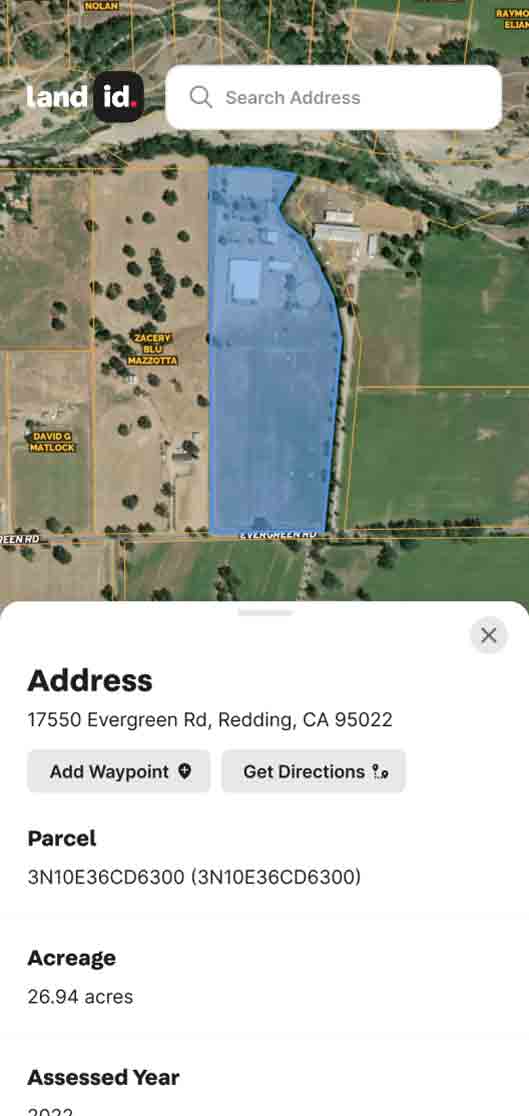
A potential buyer likes the house, then starts asking the questions the listing didn’t answer: Where does the usable acreage begin and end? How close is the floodplain? What’s next door that might impact day-to-day life? What’s beyond the tree line? How easy is the walk to the farmer’s market, trailhead, or town center?
That puts the agent in workaround mode, sharing a mix of map screenshots, PDF attachments, drone clips, and long text replies. Helpful, but scattered. None of it gives buyers the same self-guided clarity they now expect from indoor virtual tours.
Thankfully, the workaround era is over.
The Full-Picture Listing (And Why It Wins)
Think of your listing as a two-act story.
Act One is the structure: the house, the barn, the guest cabin, the shop. This is indoor virtual tour territory, and it's excellent at what it does. Buyers “walk” the rooms, check the ceiling heights, get a feel for the flow of the space, all before committing to a showing.
Act Two is everything outside those walls: the land, the terrain, the water, the fencing, the views, the context. This is where Land id's Property Tour comes in.
When you combine both into a single listing experience, buyers don't just see a property. They understand it. They arrive at showings pre-qualified, already invested, already asking smart questions. You stop fielding vague inquiries and start having real conversations with serious buyers.
That's the Full-Picture Listing. And it's easier to build than you think.
Step 1: Build Your Outdoor Tour First
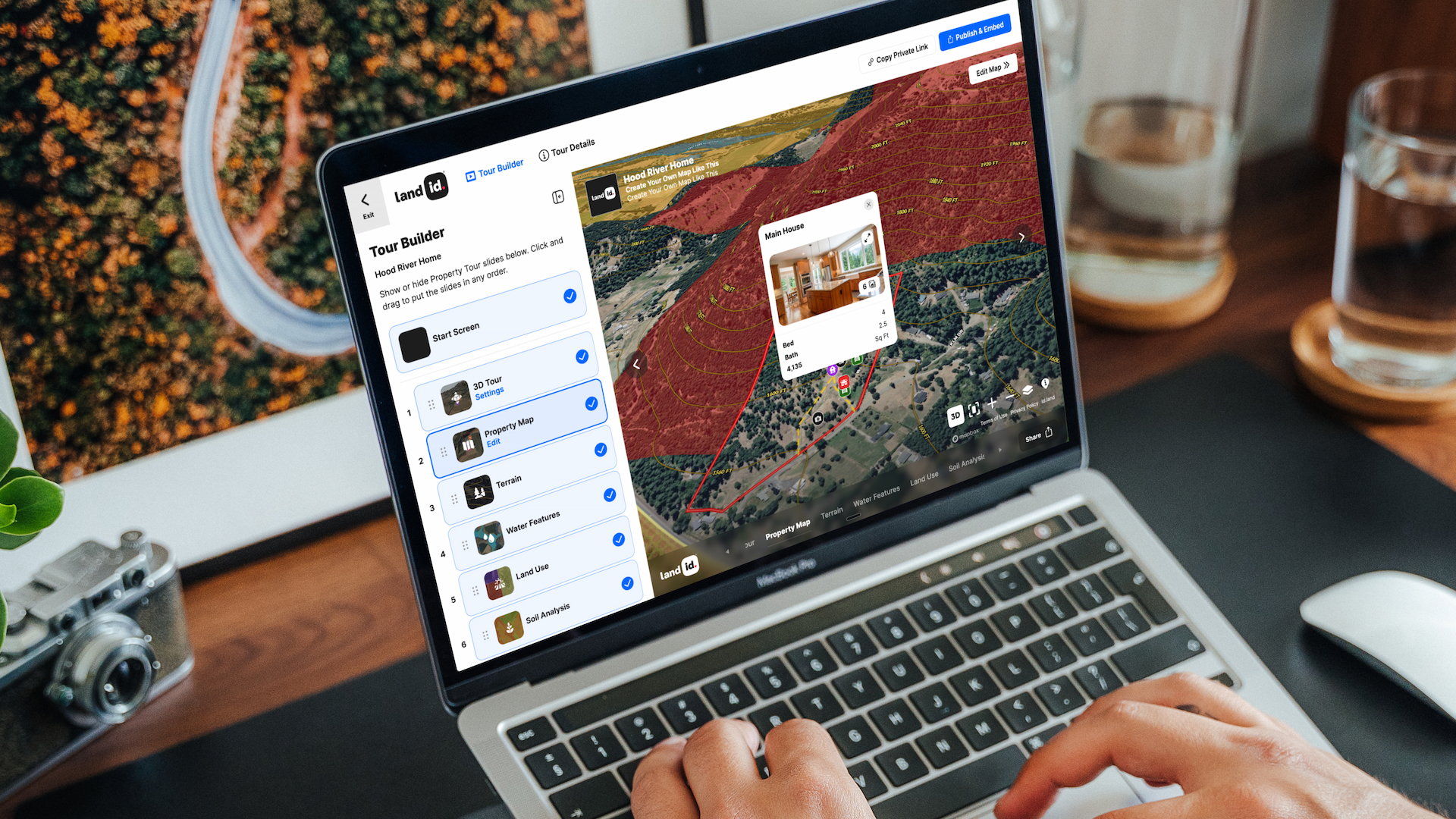
Search for any property and Land id and click Create Property Tour. It’s that straightforward.
Land id auto-generates a slide-by-slide virtual tour from the maps and data already associated with the property. You get a rotating 3D terrain view, pre-drawn property boundaries, water features, floodplain data, area context, and more, assembled automatically.
Customize from there. Reorder slides to match how you'd naturally tell the story of this specific property. Turn off slides that aren't relevant. Add photos you've already taken. The drag-and-drop interface is fast and intuitive. Most agents publish their first tour in about 3 minutes.
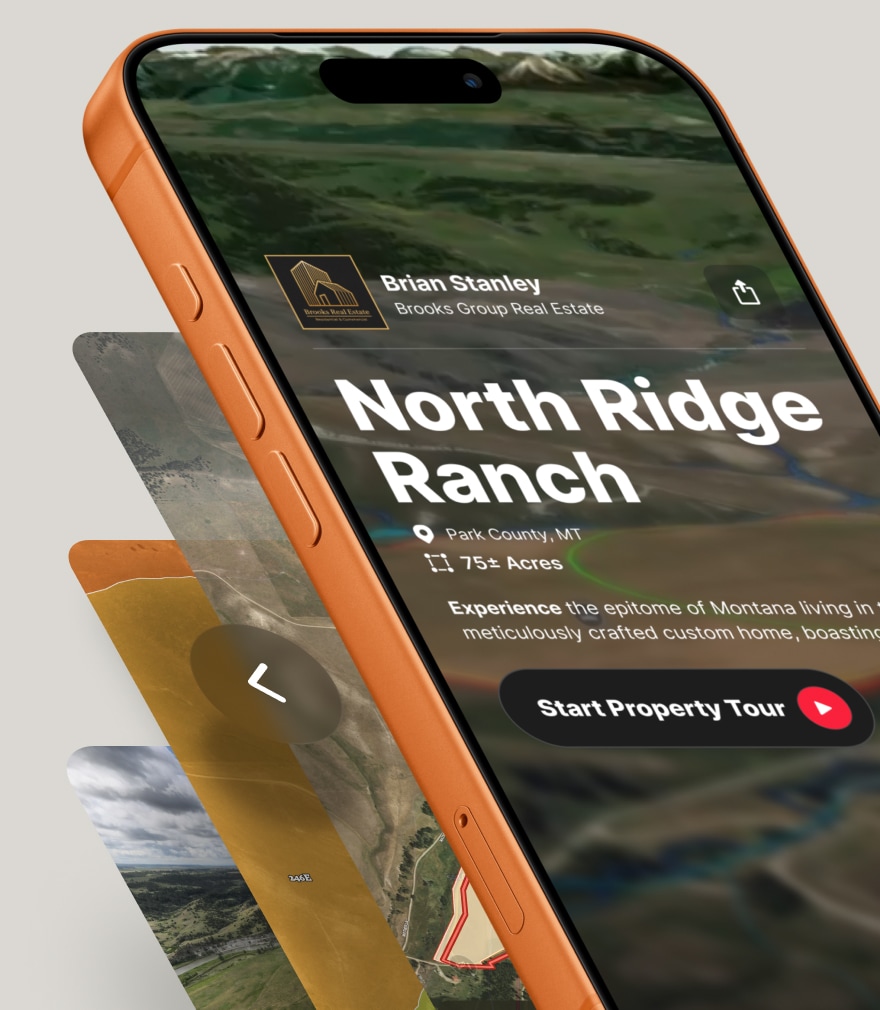
What you end up with is a self-guided outdoor experience buyers can explore on their own, on any device, no app download required. It's the kind of thing that used to require a drone pilot, a graphic designer, and a half-day of work. Now it takes a few clicks.
How to do it:
- Search your property in Land id and click "Create Property Tour."
- Review the auto-generated slides and toggle off anything that doesn't apply.
- Add your listing photos and any video you already have.
- Publish and copy your shareable link.
Related: The Land id® Property Tour: The Fastest, Easiest Way to Tell a Listing Story & Close More Deals
Step 2: Add Your Matterport Into the Tour

Now, enrich the outdoor tour with the indoor Matterport walkthrough.
Within your Property Tour, you can add your Matterport virtual tour as a photopoint on the map. Buyers go from exploring the terrain and acreage to stepping inside the structure without ever leaving the experience. One link. Both acts of the story. The result is a listing asset that no flat photo grid can compete with.
If you don't have Matterport yet, the outdoor tour stands on its own. But if you're already using it for listings, this is the easiest upgrade you'll make all year.
How to do it:
- Grab your Matterport share link.
- Go into your Property Tour.
- On the Tour Preview, click Property Map and Edit Map.
- Follow these step-by-step instructions for adding a Matterport to your Land id tour.
Step 3: Share Your Property Tour

Now, it’s time to share. Land id Property Tour is built to go everywhere.
Add to the MLS Virtual Tour Field
This is the first place to drop your link. Buyers browsing on Zillow, Realtor.com, or directly in the MLS will see your Property Tour linked front and center. Here's how to add your Land id tour to your MLS listing.
Embed in a Listing Page or Website
Embed the tour directly on the page so visitors get the full experience without clicking away. The embed code is available right from your published tour.
Email & Text
When a buyer or fellow agent asks about a property, you send one link and they get the complete picture. No attachments, no PDFs, no "let me know if you have questions." The tour answers the questions before they're asked.
How to do it:
- Add your Property Tour link to the MLS virtual tour URL field.
- Embed the tour on your website's listing page.
- Use the link as your standard response when buyers inquire about the property.
Step 4: Let the Tour Do the Pre-Qualifying
When you send a full-picture listing link before a showing, buyers self-select. The ones who weren't the right fit realize it on their own, before you've blocked off a Saturday. The ones who are a fit arrive informed, enthusiastic, and ready to move.
In a market where your time is your most valuable asset, cutting bad showings in half is worth more than almost any other tool in your kit.
It also changes the showing itself. Instead of spending the first 20 minutes orienting buyers to the land ("the creek runs along the eastern fence line, the back acreage is over that ridge"), you're having a conversation with people who already know the layout. They show up with opinions, with questions that signal serious intent.
A buyer who has explored your tour is worth three buyers who haven't.
Make This Your Standard, Not Your Exception
The biggest mistake agents make with new tools is treating them as one-off upgrades for special listings. The good news is, this approach is easy enough to make it your norm, not your exception.
Every listing that involves land, acreage, views, outdoor amenities, or any property where a map tells a story that photos can't. Suburban acreage with trail access. A historic home on five acres. A ranch property with a main house and guest quarters. All of these benefit from the full-picture approach.
If a buyer needs more than a photo grid to understand a property, you need a Property Tour. Make it part of your listing process, not a bonus feature you pull out for showcase properties.
Getting Started Is Easy
When you combine indoor and outdoor tours in every relevant listing, buyers self-qualify faster, showings get shorter, and listing appointments get easier. You arrive with a differentiator that's genuinely hard to replicate: the ability to deliver a complete, client-ready experience to a seller in a matter of hours.
The market is crowded, buyers are distracted, and attention is short. The agents who win make it easy for buyers to understand, connect with, and commit to a property. You now have the tools to do exactly that.
Explore what Property Tour can do for your listings. Publish your first outdoor tour in minutes, and if you're already using Matterport, you're one embed away from the most complete listing experience on the market.
FAQs
Can I embed a tour on my website or share it via MLS?
What devices can recipients use to view the Property Tour?
Can I customize which slides appear in my virtual tour?
Can I create a Property Tour out of an existing map?
Does Land id work with Canva and Matterport?
Bring Property Stories to Life With Land id
Deliver custom virtual property tours in minutes. Surface unique property data, craft a visually compelling story, and help clients make decisions faster.
Continue Reading
The Different Types of Easements & How They Work

By Land id
Learn the definition of an easement, the different types of easements in real estate, how they affect property rights and value, and how to check for easements before buying property.

How to Measure Land Area on a Map Online (Step-by-Step Guide)
By Land id
Learn how to accurately measure land area on an online map for your listings with this step-by-step guide for real estate agents.

Explore Private Parcel Data & Property Boundaries
Download the Land id app and try for free.