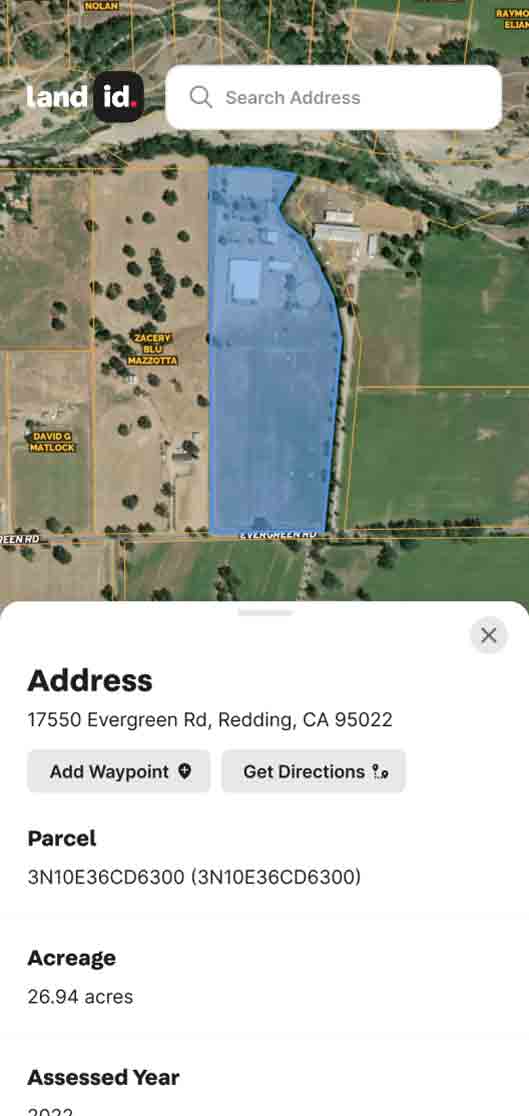


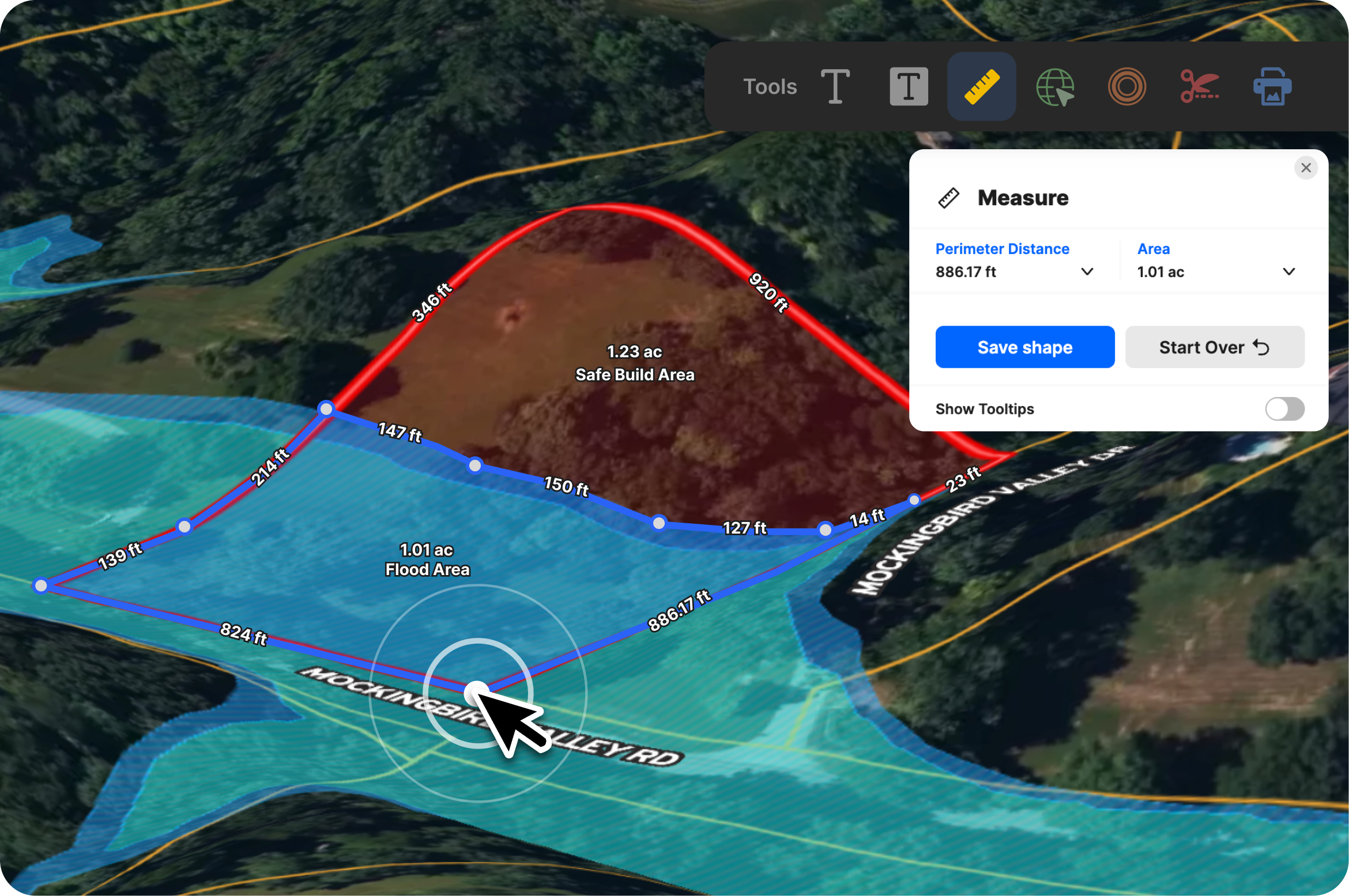
Every land decision starts with a number: acreage, distance, frontage, setbacks. Whether you’re outlining a build site, checking how far the well sits from the house, or estimating usable land, precision drives decisions.
Having the right numbers is half the challenge. It’s also about getting them quickly, in context, and without second-guessing. When dimensions, distances, and areas aren’t easy to verify alongside real property data, uncertainty creeps in at critical (and expensive) moments.
Let’s take a look at how accurate measurements help you make more informed, confident property moves and how Land id’s Measurement tool makes it easy to get clear calculations, fast.
The Importance of Land Measurements—and the Right Measuring Tool
Land measurements don’t exist in isolation. They ripple through budgets, timelines, and trust. A small discrepancy in acreage or distance can affect pricing, trigger rework, or stall approvals, long after the initial measurement was taken.
That’s why having the right measuring tool for the job matters. For this, Land id’s Measurement tool has you covered.
Precision delivers confidence. Speed drives productivity. The Measurement tool improves both:
- A unified distance + area tool = fewer apps = time and money saved.
- Measurements load and render quickly and accurately.
- Persistent measurements mean you can name, save, edit, and delete both lines and shapes as Land id map items.
- Saved outputs are clean and consistent, which helps when your maps become part of a sale, a permit application, or a management plan.
While online measurements won’t replace a formal land survey, you’ll get a confident approximation of what risks and potential lie ahead.
How Property Pros Use the Measurement Tool
Land id’s Measurement tool is both handy and essential for projects big and small. Land id Premium and Pro users can pair the Measurement tool with our max-zoom, high-res aerial basemaps and 40+ data sets, which makes it possible to visualize, estimate, plan, and project (without having to travel).
Real Estate & Land Agents
Build trust quickly with accurate, ready-to-share measurements. Key use cases:
- Validate acreage and outline buildable areas so clients understand potential usable space before making an offer.
- Help determine property listing price based on proximity to key amenities, soil types, water features, and more.
- Answer client questions about a listing, such as distance to neighboring properties and development potential.
- Compare parcel boundaries or calculate waterfront frontage and include clean, labeled measurements on client-ready maps.
I love to help my clients figure out the best option for dividing their land. One of my clients stopped paying someone to draw plans for dividing the land when he saw I could do it faster with more realistic divisions and accurate measurements. - Megan Turnipseed, ALC, Broker Associate, Keller Williams Realty Lone Star
Check out how agents at Hurdle Land & Realty used the Measurement tool to plan divisions for a 14-parcel development in Tennessee.
Developers & Planners
Evaluate feasibility and compliance early—before design costs rise. Use the Measurement tool to:
- Determine usable acres and calculate how many parcels can fit into a property.
- Measure setbacks, frontage, and distances between key features to understand costs and constraints.
- Sketch alternative layouts or verify road and access distances, then export clean PDFs for permitting or proposals.
This map uses the Measurement tool to estimate developable acres at a South Carolina property in a high-resolution, shareable property map.
Land Managers & Ranchers
Plan improvements and grazing rotations with precision. Example use cases:
- Map fencing or paddock boundaries and instantly see acreage.
- Share those measurements with field teams so everyone works from the same plan.
Explore this fencing plan with measurements created for a Texas ranch—made by a real Land id user.
Conservation Professionals
Document constraints and habitat conditions with defensible accuracy. For instance, you can:
- Measure easement boundaries, buffer zones, or habitat areas to support management decisions.
- Share clear, measurement-backed maps with partner organizations.
GIS Practitioners
Get parcel-level precision without the bloat (and cost) of enterprise software, allowing you to:
- Perform quick acreage checks, boundary validations, or infrastructure measurements.
- Keep workflows lightweight while maintaining spatial accuracy clients expect.
What’s in the Land id Measurement Tool
Land id’s Measurement tool offers a single, intuitive control that lets you measure anything on a map—from a 400-foot driveway to a 4,000-acre tract—save it permanently as part of your map project, and share with stakeholders.
Here’s what’s inside the tool:
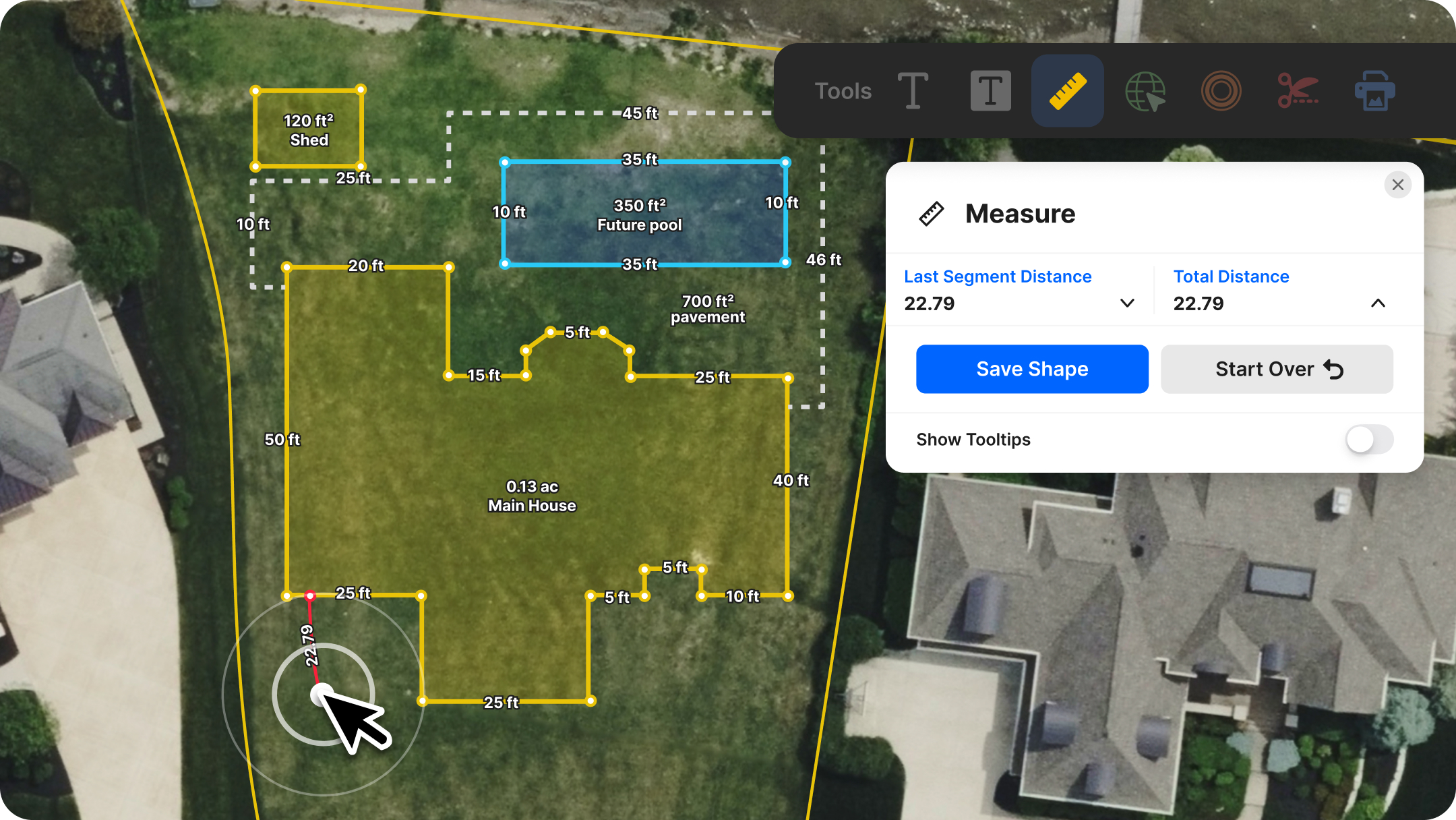
One Icon, Two Modes
No switching tools. A single toolbar icon handles both line and area measurements with the ability to switch between units without losing your work.
Distance & Area in One Flow
Create lines to check the length of a fence run or the setback from a boundary. Close a shape and get instant calculations for each line length, total perimeter, and area.
Persistent Measurements You Can Manage
Every line or shape can be saved, named, edited, or deleted through your Map Items panel. Keep your work organized. Build reusable measurement layers for ongoing projects. Surface only what you want clients or collaborators to see.
Share & Export Without Extra Steps
Saved measurements automatically appear in shared map links and exported PDFs. Styling carries over clearly and consistently, in the app and in print—so what you see on your screen is what your recipients see on paper.
Print-Ready Design
Labels, borders, and measurement indicators render crisply for both on-screen viewing and high-resolution printing. Your maps stay clean and readable, even when scaled.
Full Mobile Parity
The same measurement capabilities exist on phones and tablets. Measure from the field and save without losing features you rely on in the web app.
Simple Unit Switching
Change units on a single line or switch units for an entire measurement. Acres, hectares, feet, yards, meters—use what makes sense for you.
How to Use the Measurement Tool on Your Next Project
- Select “Measure.” Click the Measure icon in the toolbar to open the tool and measurement options.
- Draw. Click to draw a line or shape. Measurements update instantaneously as you move your cursor or finger (on mobile). Close your path for instant distance, perimeter, and area calculations. Change between units as you like—yards, meters, acres, hectares, kilometers, or miles.
- Save your measurement. Name it (e.g., “Driveway,” “New Fenceline,” “Proposed Setback”) and save. It appears in your Map Items panel.
- Manage and share. Reopen saved items anytime to edit or delete. Share a map link or export to PDF. Your measurements carry through automatically and remain crisp on screen or on paper.
Want to learn more? Dive into the details with our Help Center tutorial.
Try It for Yourself!
If you’re still juggling a separate measurement app—or even paying for a standalone tool—this is your sign to streamline your stack.
The Measurement tool is available for all Land id users on all tiers and devices. If you’re not a user yet, sign up for a free 7-day trial. Explore it on a property, save a few lines or shapes, and share a finished map.
We’d love to hear what you think. Your feedback shapes what comes next, so let us know how the update fits into your workflow.
FAQs
How accurate is Land id’s Measurement tool?
Can I measure acreage on any parcel?
Does the Measurement tool work offline or in the field?
Continue Reading
Craig Rowe
How to Work With Out-Of-State Buyers: Tips for Real Estate Agents


By Land id
Agents in emerging markets will benefit from an influx of aspiring buyers. Get tips on how to make the most of these potentially lucrative leads.
Absentee Owner Lists: What They Are, Why They Convert & How to Get Them
By Land id
Absentee owner lists are one of the most reliable ways to find off-market opportunities before your competition does. Here's how to do it in Land id.

Explore Private Parcel Data & Property Boundaries
Download the Land id app and try for free.